Garbage Collector
The Garbage Collector is a maintenance feature in Snapr that automatically removes leftover Kubernetes resources generated by Snapr agents during the execution of various tasks. Over time, these tasks, whether triggered by scanners, agents, or internal workflows, may create temporary Kubernetes Jobs and ConfigMaps that accumulate in your cluster.
The Garbage Collector ensures your environment stays clean and avoids unnecessary resource usage by periodically deleting these leftover objects based on the cleanup rules you configure.
By default, the Garbage Collector is disabled, but it can be enabled from both the Snapr Admin Panel and the Helm chart configuration.
How It Works
The Garbage Collector runs as a Kubernetes CronJob. On each execution, it applies the configured retention rules and deletes Jobs and ConfigMaps generated by Snapr agents that have exceeded their defined TTL. When activated, the Garbage Collector periodically:
- Removes Jobs created by Snapr agents after they have completed.
- Removes ConfigMaps generated to support task execution.
- Applies retention logic based on the time-to-live (TTL) values you configure.
The Garbage Collector does not delete resources created manually or outside Snapr.
Configuring the Garbage Collector
You can configure the Garbage Collector either through the Snapr Admin UI or by defining the settings in your Helm values.yaml.
Configuring via the Admin UI
You can manage the Garbage Collector from the Feature Gates → Garbage Collector section of the Snapr Admin Panel.
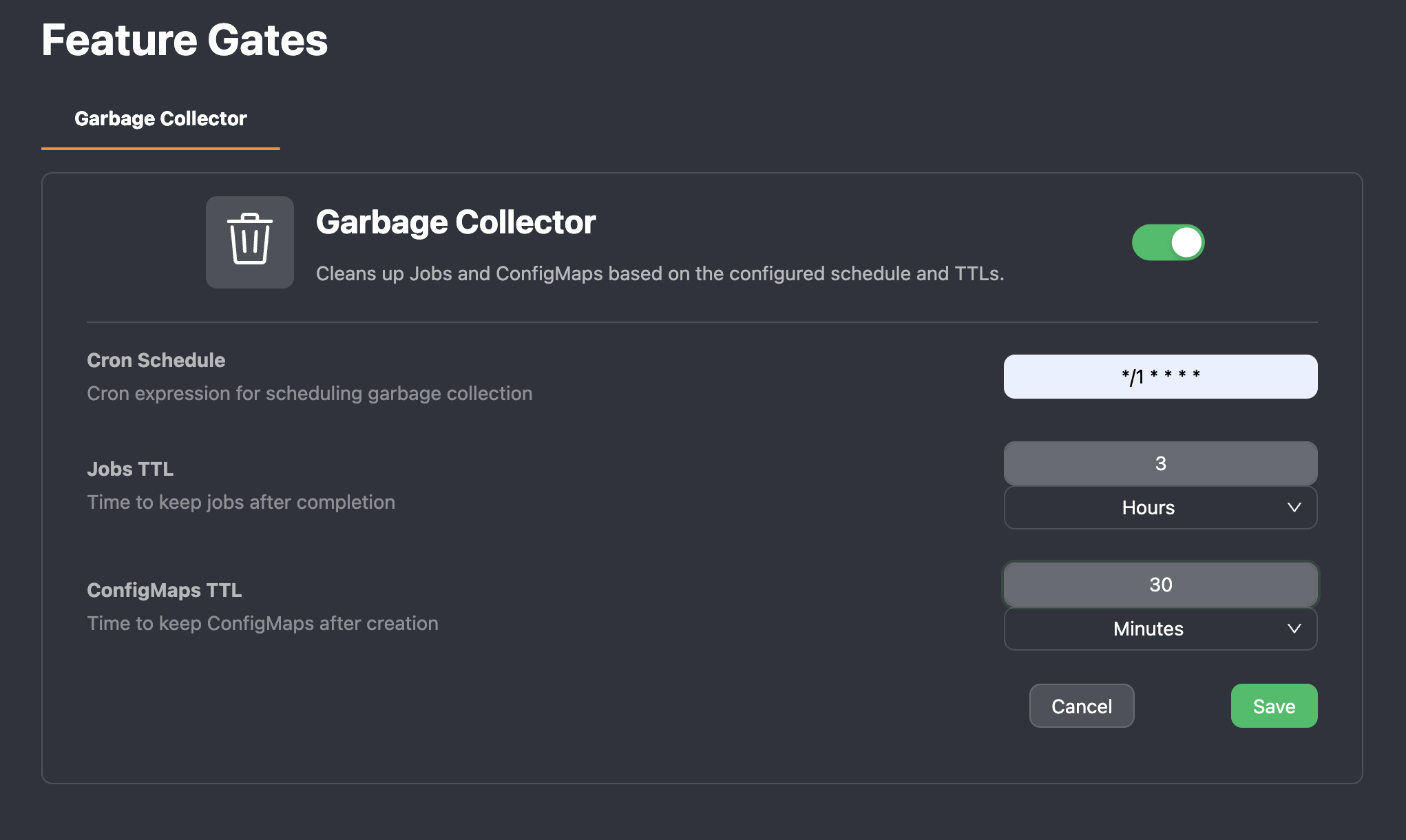
The available options include:
- Enable/Disable toggle the feature on or off.
- Cron Schedule: A cron expression that defines how often the cleanup CronJob runs.
- Jobs TTL: How long Snapr should retain completed Jobs before deleting them.
- ConfigMaps TTL: How long Snapr should retain ConfigMaps created by agent tasks.
Configuring via Helm Values
You can also configure the Garbage Collector during installation or upgrade by editing your values.yaml:
gc:
  enabled: false
  # Cron schedule for running the GC job
  schedule: "* * * * *"
  # Empty => all namespaces
  namespace: ""
  resources:
    jobs:
      # delete Jobs >24h old
      ttlSecondsAfterFinished: 10
      # filter Jobs by this label selector
      labelSelector: "app.kubernetes.io/name=snapr"
Best Practices
- Enable the Garbage Collector in any long-running Snapr installation.
- Use reasonable TTLs to avoid excessive storage or namespace clutter.
- Schedule cleanup at low-activity times (e.g., during off-peak hours).