Refinements
Divide to conquer. Break large Issues into focused, manageable tasks.
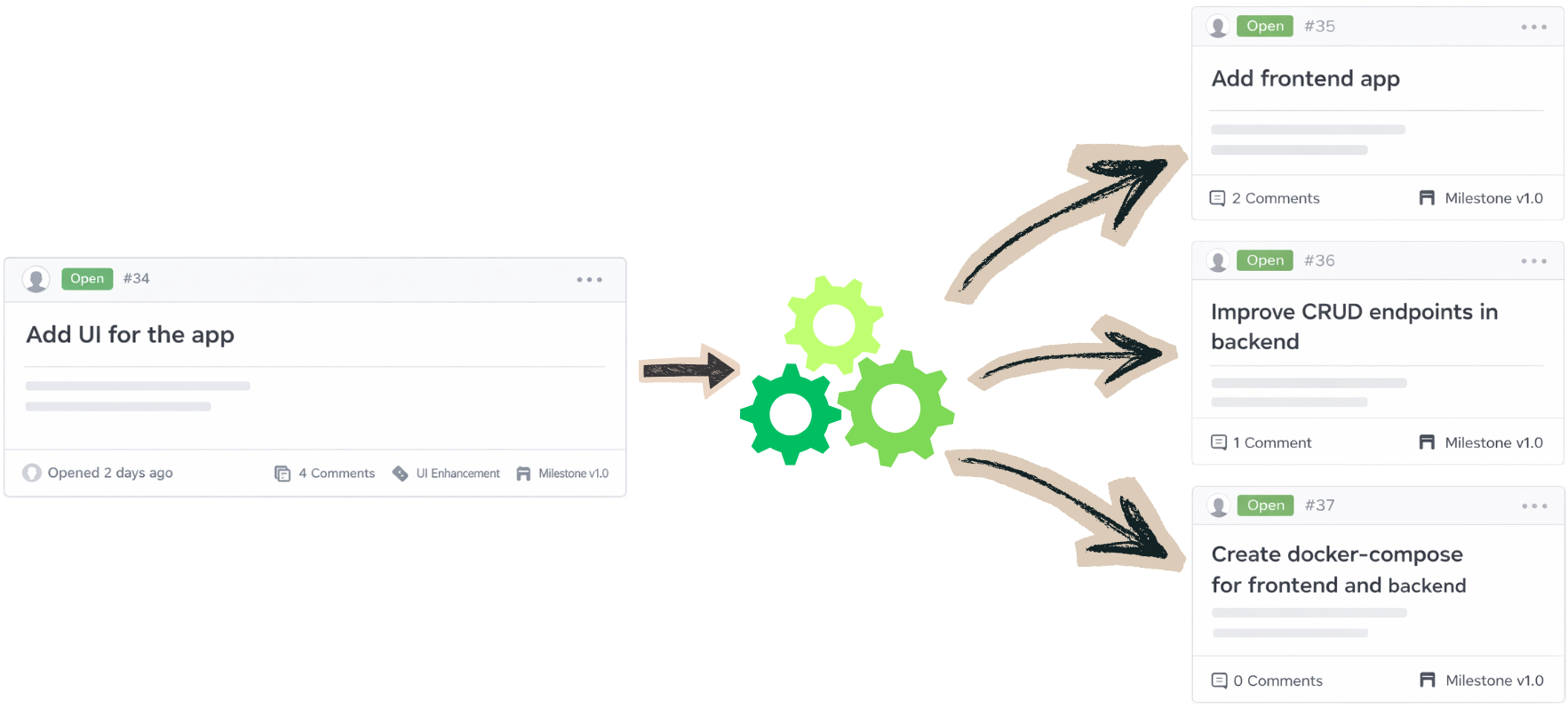
How it works?
-
1
The trigger
A developer comments
/snapr refineon an Issue to start the refinement process. Alternatively,/snapr analyzecan be used first to let Snapr assess clarity, structure, and scope, and suggest improvements before refinement begins. -
2
The reaction
Snapr receives the request and launches a short-lived Kubernetes Job to process the Issue.
-
3
The refinement
Snapr analyzes the Issue description and surrounding context, identifying requirements, dependencies, and potential subtasks. If needed, Snapr asks clarifying questions to ensure the breakdown is accurate.
-
4
The proposal
Based on this analysis, Snapr proposes a structured breakdown of the work into manageable subtasks and posts the suggested refinement as a comment on the Issue.
-
4
The feedback
Developers can review the proposed breakdown and provide feedback. Snapr incorporates this input to adjust or refine the subtasks until the proposal aligns with expectations.
-
4
The Handoff
Once confirmed, a developer comments
/snapr fileto create the refined Issues. Each Issue is generated with a clear title, detailed description, and relevant context derived from the conversation, making the tasks immediately actionable.